Video Thing
A live video instrument for iOS. No timeline, no clip bin, no export queue. Every take is a performance.
The instrument
LOAD · TURN · RECORDFour sources: camera-roll clips, live front or back camera, or a signal generator that draws noise. One live mix at a time.
Every control is on-screen and under a thumb. Wire the audio's frequency bands into any effect parameter so the picture moves with the music.
When it looks right, hit record. When you stop, the file is already on the camera roll. Every take is a performance.
Video Thing is a live video instrument. Think of it as a musical instrument, not an editing app. No timeline, no clip bin, no export queue. You load up your videos, turn the knobs, and the picture responds the moment you touch anything.
When it looks right, hit record. When you stop, the file is already on the camera roll.
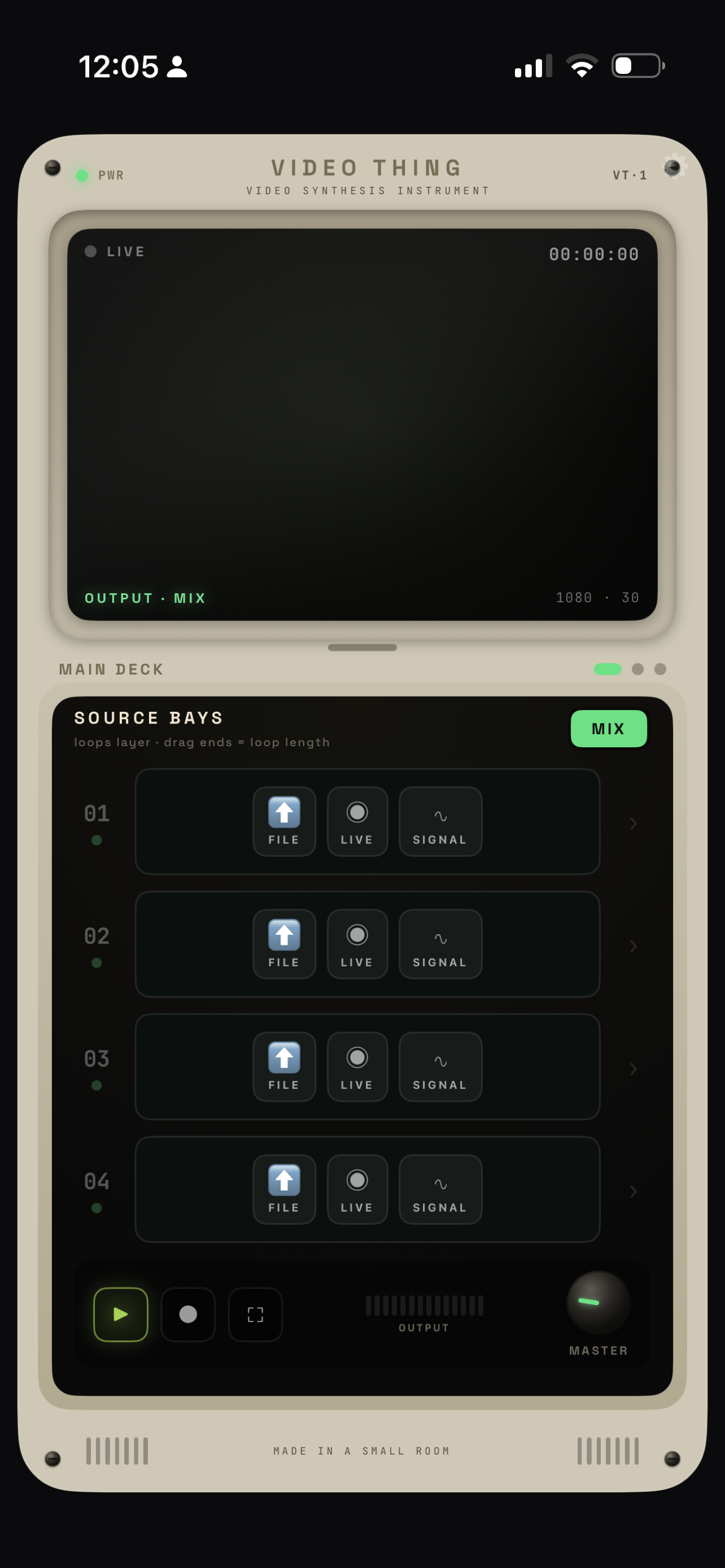
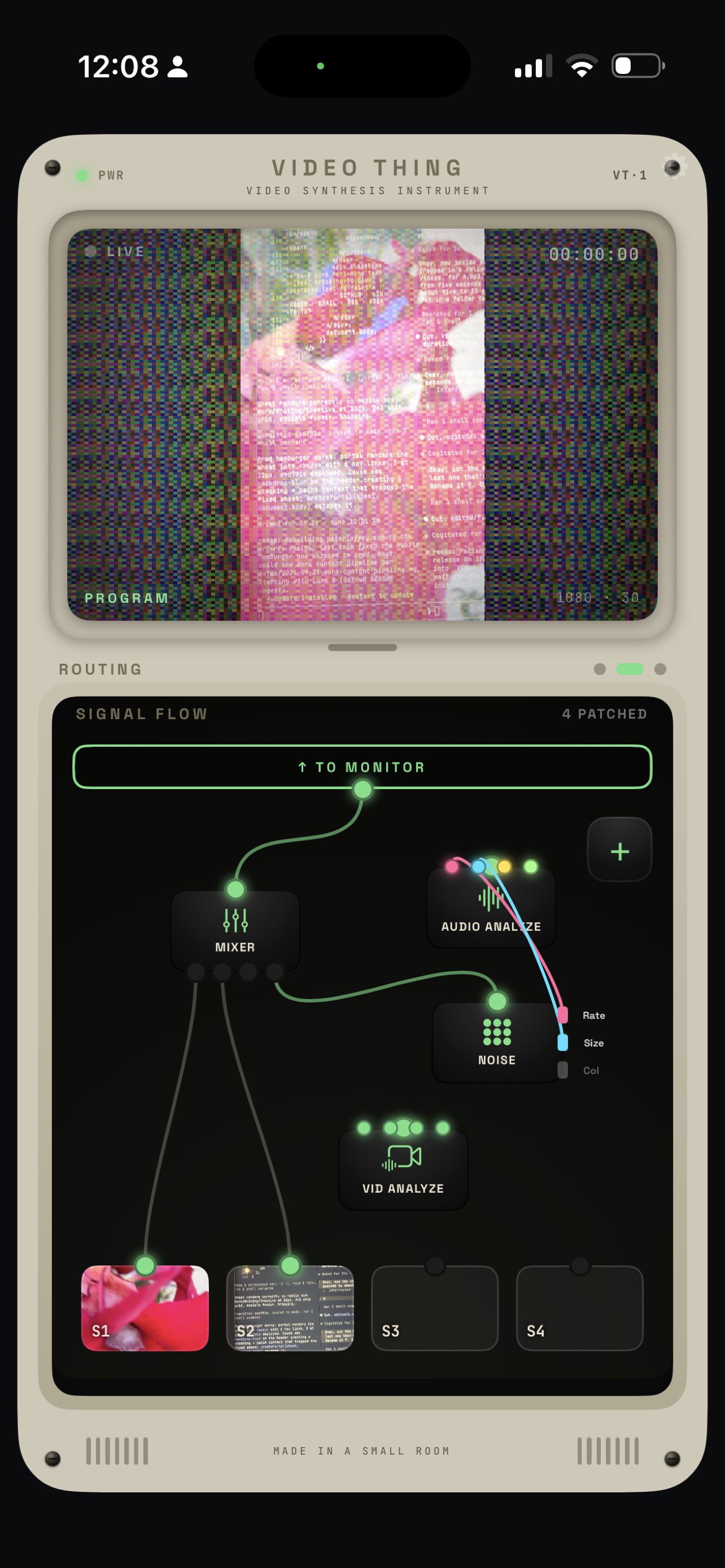
You can perform with clips from the camera roll, with whatever the front or back camera is pointed at, or with a live signal generator that draws noise. Wire the audio's frequency bands into any effect parameter so the picture moves with the music.
The idea comes from video synthesizers — the hardware boxes people used to mix live visuals at concerts. Big rack units, table-full-of-knobs, expensive. Video Thing puts the same feel in a pocket. Four sources, one live mix, every control on-screen and under a thumb.
Meant to be played, not edited. If mashing buttons on an MPC or twisting knobs on a synth reads as familiar, this reads that way too.